Your capability story, in your hands.
If you've been invited to an assessment, this page explains what Capable does for you — how the platform works around your consent, your evidence, your report, and your right to question any of it.
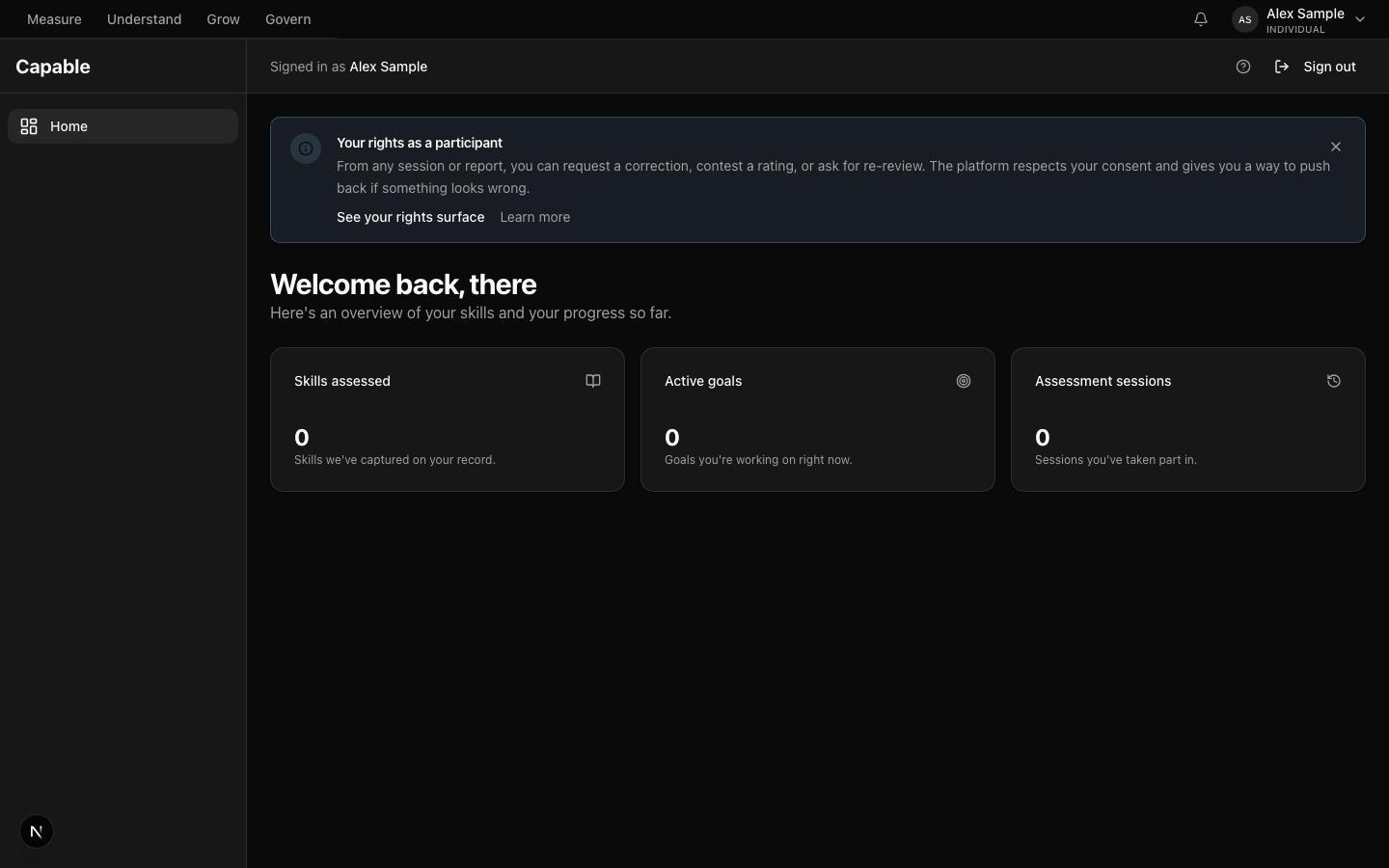
The participant portal — your dashboard with your assessments, your reports, your goals, and a clear link to your rights.

What Capable does for you
Capable is a measurement platform that organisations use to understand the skills people bring to their work. If you've arrived here, it's likely because someone — an employer, a programme, a professional body — has invited you to an assessment. That can take the shape of a structured interview with an AI interviewer called Ava, a written or spoken simulation, a short cognitive test, a personality inventory, or a 360-degree review where people you work with also have a say.
Whichever instrument you're invited to, you stay in control of two things. The first is your consent — what you agree to share, what you agree to have recorded, and what you agree to be analysed by AI. The second is your right to question the outcome. Every rating Capable produces is tied to specific evidence you gave. You can correct factual errors, contest a rating you disagree with, request a fresh assessment, or withdraw entirely.
Capable stays out of your inbox unless something genuinely needs your attention. You see your report before anyone else sees it — including the assessor who commissioned the work. From there, you decide what happens next: build goals from it, publish a portable Skills Passport, ask for a reassessment in six months, or keep it private.
A typical journey
What the experience usually looks like from your side. You can pause, step away, or stop at any point — none of these stages are timed against you.
- Day 1
An invitation arrives
You receive an email with a magic link — no password to set up, no account to create before you've decided to take part. The link opens to a welcome page that names who commissioned the assessment, what it covers, how long it takes, and what your rights are before, during, and after. You decide whether to continue, and you can read everything in your own time.
The single most important thing. The first thing you see is your right to pause, step away, or get help — not a progress bar.
- Week 1
You complete the instrument
You work through the assessment at your own pace. If you're being interviewed by Ava, she asks one question at a time and waits for your response. If it's a simulation, your actions are captured as evidence as you go. You can pause and come back later, step away for a break, or withdraw entirely without explaining yourself. The session saves as you go.
The single most important thing. Nothing is timed against you. Pause and resume is always one click away.
- Month 1
Your report is released
After the assessor reviews and signs off the report, it comes to you first. You can read it as many times as you need. The report shows the rating for each skill it covers, the evidence it drew on, and links to the AI provenance for anything an AI produced. From here you can build a development plan, publish a Skills Passport that travels with you, request a reassessment, or contest a rating you disagree with.
The single most important thing. You see the report before anyone else does. Nothing is shared without your consent.
What you see, and what you don't
The participant portal is built around your data. It does not show you other people's, and it does not show you internal practitioner views.
What you see
- Your assessments — every session you've taken part in, in flight or completed.
- Your reports — every rating with the evidence it drew on, including AI provenance where relevant.
- Your goals and development plan — drafted by you, with practitioner input you can accept or amend.
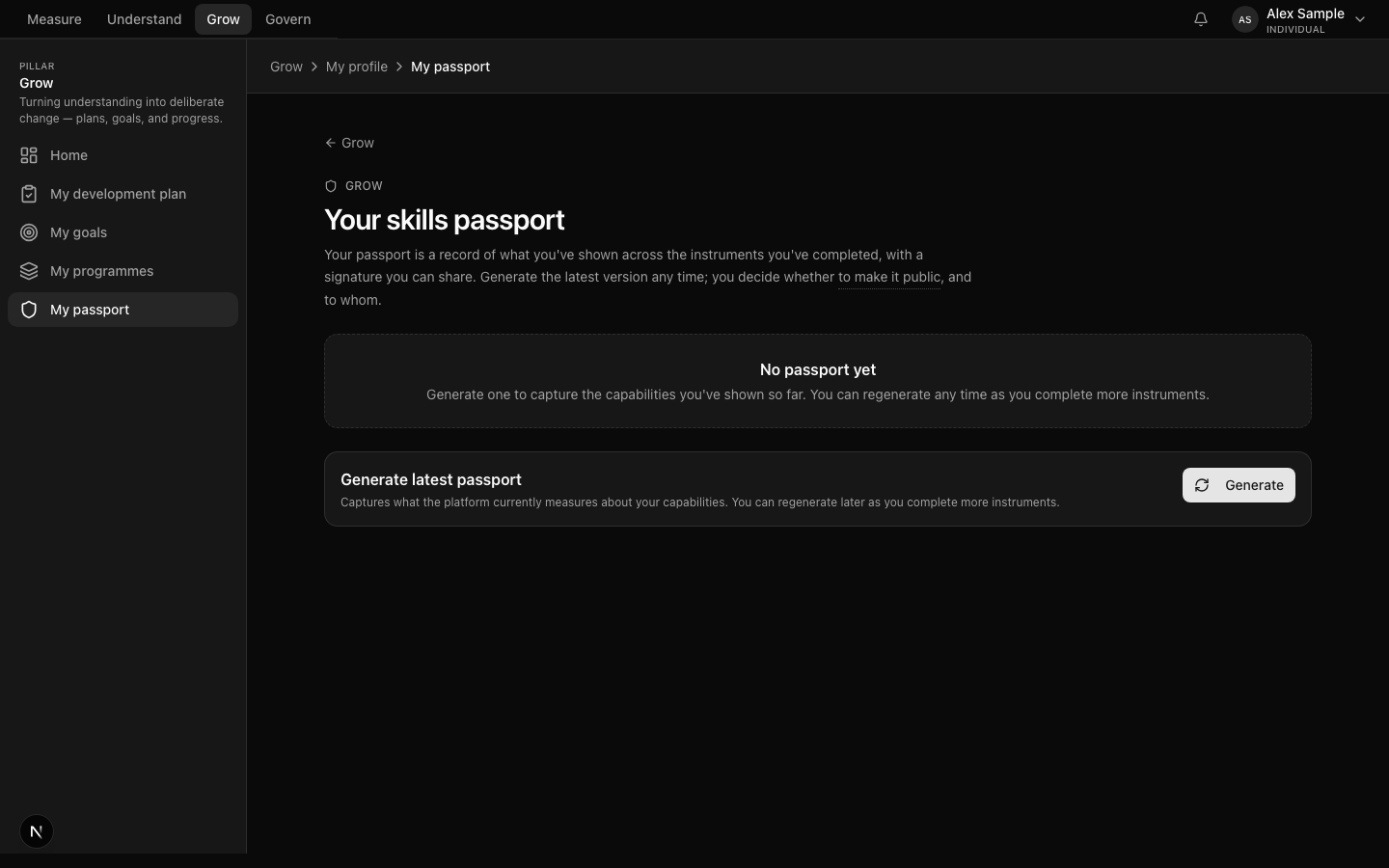
- Your Skills Passport — the portable record you can publish to a new employer or a verifier.
- Your consent ledger — every consent you have given, every revocation, every layered choice.
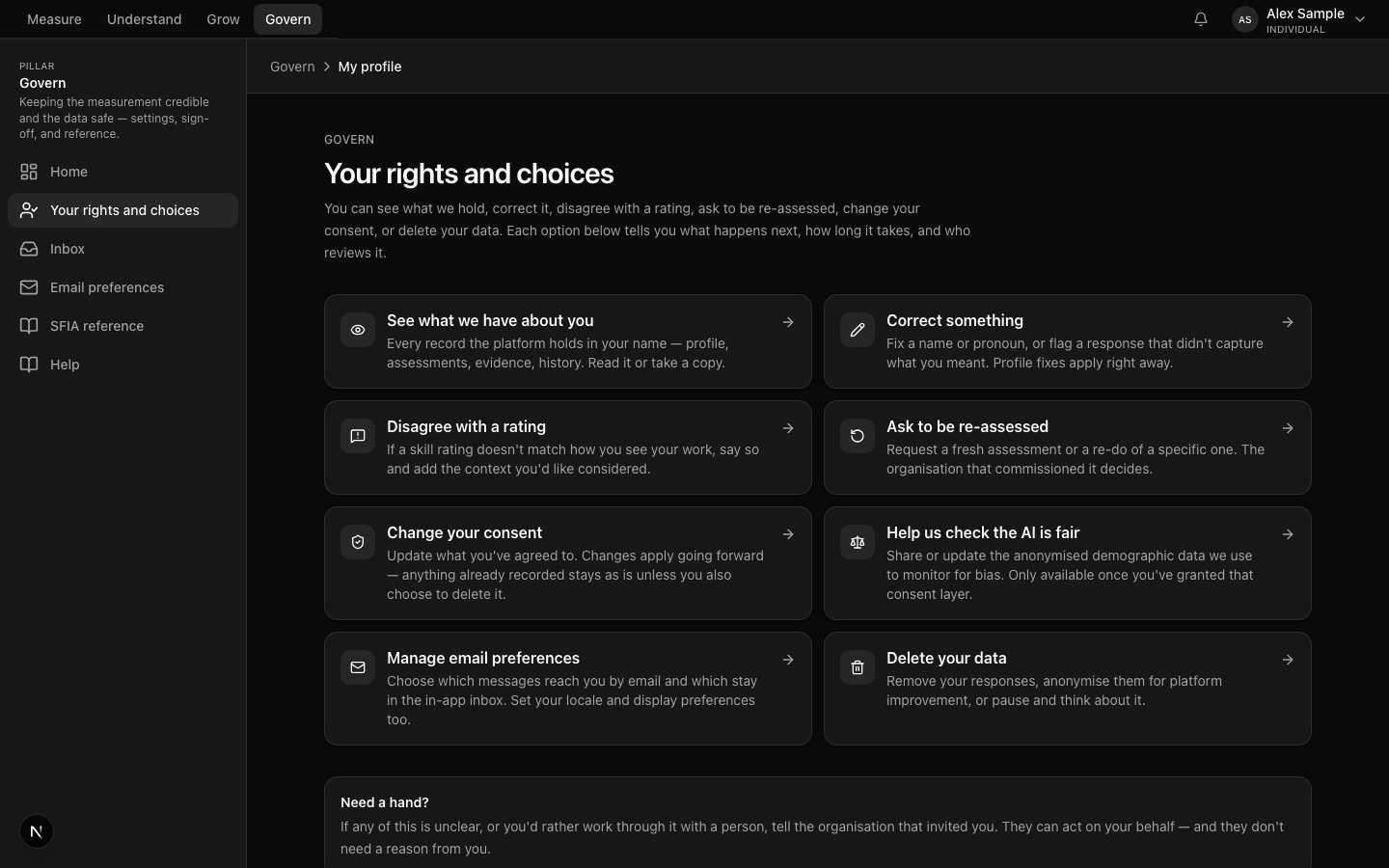
- Your rights index — view, correct, contest, reassess, manage consent, request deletion.
What you don't see
- Other participants' data, reports, or evidence.
- Cohort or aggregate analytics — those sit with your organisation's reporting role.
- Internal practitioner notes outside what is surfaced on your report.
- The fairness or governance metrics the platform's Trust & Safety role reads.
If something feels missing from your view, ask. Anything the platform records about you is yours to see on request.
The surfaces you'll use
The participant portal is mobile-first and built to be readable without training. These are the surfaces you'll touch most.
The participant welcome page — magic-link landing with consent framing and safety nets.

The participant portal home — assessments in flight, reports released, goals, and Skills Passport.
The participant rights index — six rights laid out as a grid, each one click away.
The Skills Passport publication surface — choose what to include and who can verify it.
If something is difficult
Assessments sometimes touch on demanding moments at work — a project that didn't go well, a decision you regret, a difficult conversation. If anything that comes up is hard to sit with, you can pause, step away, or get connected with support outside this platform.
Every participant surface carries a support link in the header. In Australia, Lifeline (13 11 14) and Beyond Blue (1300 22 4636) are available 24/7. Sector-specific support services are surfaced first where they apply — healthcare deployments surface Doctors4Doctors and Nurse & Midwife Support; community deployments surface 1800RESPECT and 13YARN.
Sign in to your portal, or read the commitments
If you already have an invitation, your magic-link email is the way in. If you'd like to read more about how the platform behaves before you decide, the trust posture page sets out what the platform commits to — and what it can produce when questioned.